
Workflow Automation: A Practical Guide for Growing Teams
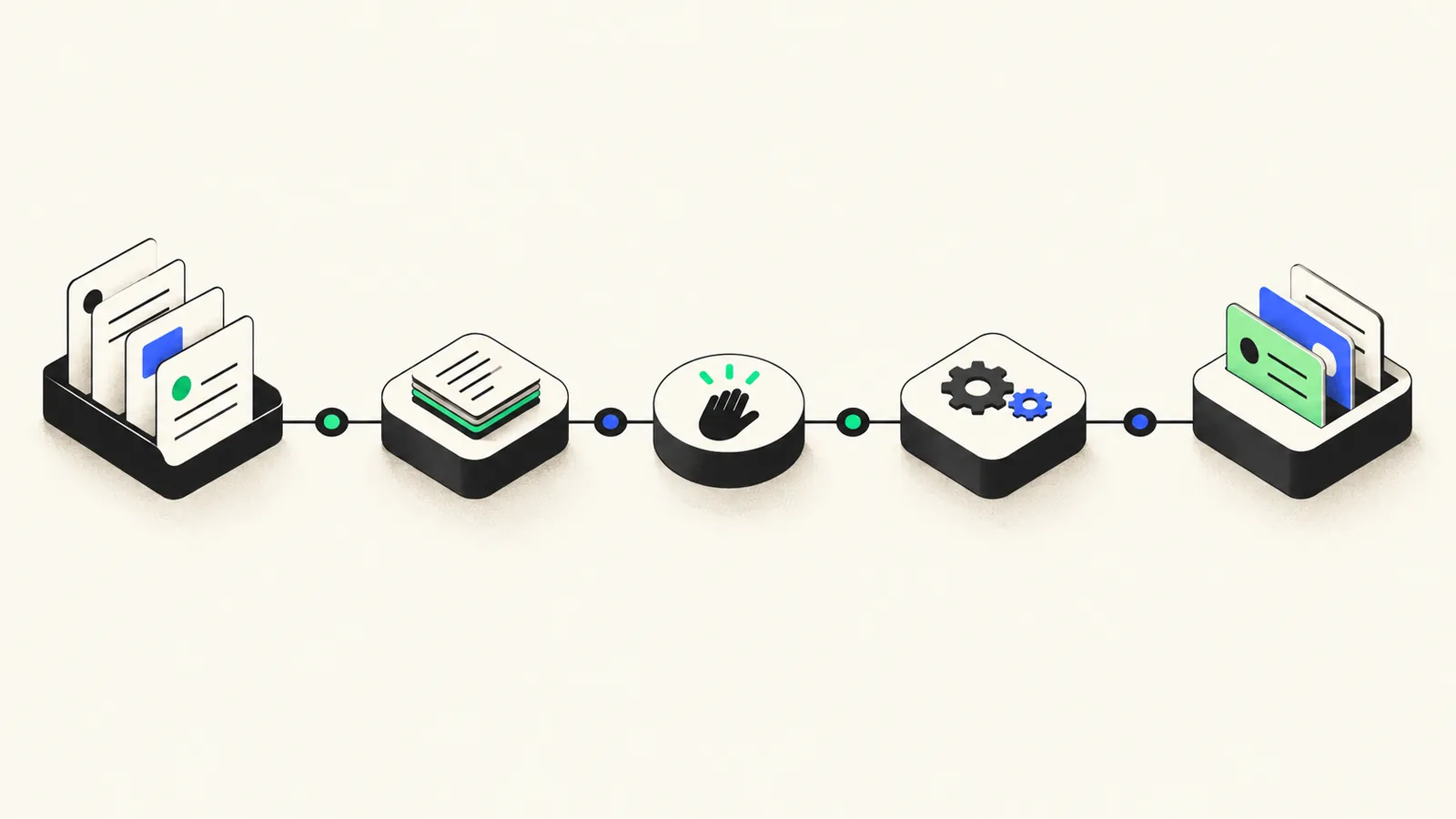
Workflow automation means using software to move a business process from start to finish with as little manual effort as possible: a trigger fires, data flows between tools, decisions get applied by rules (or, increasingly, by AI with human review), and people only step in where their judgment actually matters. For growing teams, it's the difference between scaling headcount linearly with work and scaling output without burning people out on copy-paste tasks.
This guide covers what's worth automating, when to buy versus build, how LLMs change the equation, and how to start without making the classic mistakes.
What Workflow Automation Actually Is (Beyond the Buzzword)
Strip away the vendor language and every automated workflow has the same anatomy:
- A trigger: something happens, such as a form being submitted, an order arriving, or an invoice landing in an inbox.
- Steps: data is fetched, transformed, validated, or routed.
- Decisions: rules (or an AI step) determine what happens next.
- Actions: records are created, messages sent, documents generated.
- Exceptions: anything the system can't handle gets routed to a human.
That last part is what separates real automation from a brittle script. A good workflow doesn't pretend edge cases don't exist; it catches them and hands them to a person with full context.
Workflow automation is also not the same as "doing everything with no humans." The best implementations automate the predictable 80% and make the remaining 20% dramatically easier to handle.
Signs a Process Is Ready to Automate
Not every process deserves automation. The strongest candidates share four traits:
- Repetitive: the same steps happen the same way, weekly or daily.
- Rule-based: you can write down the decision logic ("if the order is over $500, flag for review").
- High-volume: it happens often enough that minutes saved per instance compound into real hours.
- Error-prone: humans doing it by hand make costly mistakes: wrong fields, missed steps, stale data.
A useful litmus test: can someone on your team write the process as a checklist a new hire could follow? If yes, software can probably follow it too. If the answer is "it depends, ask Sarah," document the process first. Automation amplifies whatever process you feed it, including a bad one.
Where Teams Usually Start
The first automation rarely needs to be ambitious. The highest-ROI starting points are almost always the unglamorous ones:
- Data entry between systems: orders into the ERP, leads into the CRM, invoices into accounting. Re-keying data is slow, boring, and the single biggest source of typo-driven errors.
- Handoffs between tools and teams: when a deal closes, create the project, notify the delivery team, and generate the kickoff doc automatically, instead of relying on someone remembering.
- Reporting: the weekly metrics email someone assembles by hand from three dashboards. Automate the pull and the formatting; let humans add the commentary.
- Notifications: alerts when inventory runs low, a payment fails, or a ticket breaches its SLA. Cheap to build, immediately valuable.
Pick one of these, automate it end to end, and you'll learn more about your real requirements than any planning document would teach you.
Build vs. Buy: When Each Wins
This is the decision teams agonize over most, and the honest answer is that both are right, for different workflows.
| Factor | Off-the-shelf (Zapier, Make, etc.) | Custom automation |
|---|---|---|
| Setup speed | Hours to days | Weeks |
| Upfront cost | Low | Higher |
| Cost at high volume | Per-task pricing climbs fast | Flat and predictable |
| Complex logic and branching | Gets painful quickly | Handles it natively |
| Proprietary or internal systems | Limited to available connectors | Full API access |
| Reliability and error handling | Basic retries | Engineered to your tolerance |
| Maintenance | Vendor handles the platform | You (or your partner) own it |
Off-the-shelf wins when you're connecting popular SaaS tools, volume is modest, logic is simple, and you want results this week. It's also the best way to prototype: prove the workflow's value cheaply before investing in anything custom.
Custom wins when volume makes per-task pricing expensive, the logic outgrows what a visual builder can sanely express, you're integrating internal or niche systems, or the workflow is business-critical enough that you need real error handling, logging, and monitoring. At Keplaris, a common pattern in our automation engagements is exactly this graduation path: a team proves a workflow in Zapier, hits its limits, and we rebuild it as a proper service with the reliability the business now depends on.
How LLMs Change the Picture
Traditional automation stops at the boundary of structured data: it can move a field from one system to another, but it can't read a messy email. Large language models remove that boundary. AI steps inside workflows now reliably handle:
- Classification: routing inbound support emails, leads, or documents to the right queue based on content, not just keywords.
- Extraction: pulling structured data (names, amounts, dates, line items) out of PDFs, emails, and free-text forms.
- Drafting: generating first-pass replies, summaries, follow-ups, and reports that a human edits and approves.
The pattern that works is human in the loop: AI does the first pass at machine speed; a person reviews anything consequential before it goes out. You get most of the time savings with almost none of the risk of an unsupervised model emailing your customers nonsense. As confidence grows (and you measure accuracy on real volume), you can widen what flows through without review.
Treat AI steps like any other component: give them narrow jobs, validate their outputs, and route low-confidence results to a human.
Common Failure Modes (and How to Avoid Them)
Most automation failures are organizational, not technical:
- Automating a broken process. If the manual process produces bad outcomes, automation produces bad outcomes faster and at scale. Fix and document the process first.
- No error handling. The workflow silently fails on a Tuesday, and nobody notices until customers complain. Every automation needs failure alerts and a defined fallback path.
- No ownership. Tools change their APIs, edge cases evolve, and an unowned automation rots. Every workflow needs a named owner who gets the alerts and maintains it.
- Over-automation. Removing humans from steps that genuinely need judgment (pricing exceptions, sensitive customer replies) trades small savings for large mistakes.
A Step-by-Step Starting Plan
- List your repetitive work. Have each team note tasks they do more than weekly that follow a fixed pattern.
- Score candidates on volume, error cost, and rule-clarity. Pick one winner, not five.
- Document the current process as a checklist, including the exceptions and who handles them.
- Prototype with off-the-shelf tools where connectors exist. Time-box it to a week.
- Add error handling and an owner before you call it done: failure alerts, a fallback path, a name attached.
- Measure for a month: hours saved, errors prevented, exceptions raised.
- Then decide: keep it as-is, extend it, or rebuild it custom, and only then pick the next workflow.
Conclusion
Workflow automation isn't about replacing your team; it's about refusing to spend their hours on work a machine does better. Start with one repetitive, rule-based, high-volume process, keep humans in the loop where judgment matters, and give every workflow an owner.
If you'd like help mapping what's worth automating, or you've outgrown the duct-tape stage, Keplaris designs and builds these systems for growing teams. See our Automation & AI Systems service, or if the automation is part of a bigger product effort, our Product Design & Engineering practice. A short conversation usually surfaces the first two or three workflows worth tackling.
Frequently asked questions
What is workflow automation?
Workflow automation is software that moves a multi-step business process forward without manual effort: triggering on an event, transforming or routing data, and completing actions across tools. It replaces repetitive human steps like copying data between systems, sending status updates, and assembling reports.
Which business processes should you automate first?
Start with processes that are repetitive, rule-based, high-volume, and error-prone. Common first wins include data entry between systems, handoffs between tools and teams, recurring reports, and routine notifications. Avoid automating processes that are still changing or that nobody fully understands.
Should I use Zapier or build custom automation?
Use off-the-shelf tools like Zapier or Make for simple, low-volume connections between popular apps. Build custom automation when you need complex logic, high volume, proprietary systems, strict reliability, or tight cost control at scale. Many teams start off-the-shelf and graduate specific workflows to custom builds.
How does AI fit into workflow automation?
Large language models add judgment-like steps to workflows: classifying inbound requests, extracting data from unstructured documents and emails, and drafting responses or summaries. The reliable pattern keeps humans in the loop, so AI handles the first pass and people review anything consequential before it ships.
Why do workflow automation projects fail?
The most common causes are automating a broken process (which just produces mistakes faster), missing error handling so failures go unnoticed, and no clear ownership after launch. Successful automations have a documented process, alerting when steps fail, and a named owner responsible for maintenance.
Get in touch.
Whether you have questions or just want to explore what's possible, we're here to help.