
Shopify Functions After Scripts: APIs, Limits and Rust vs JS Measured
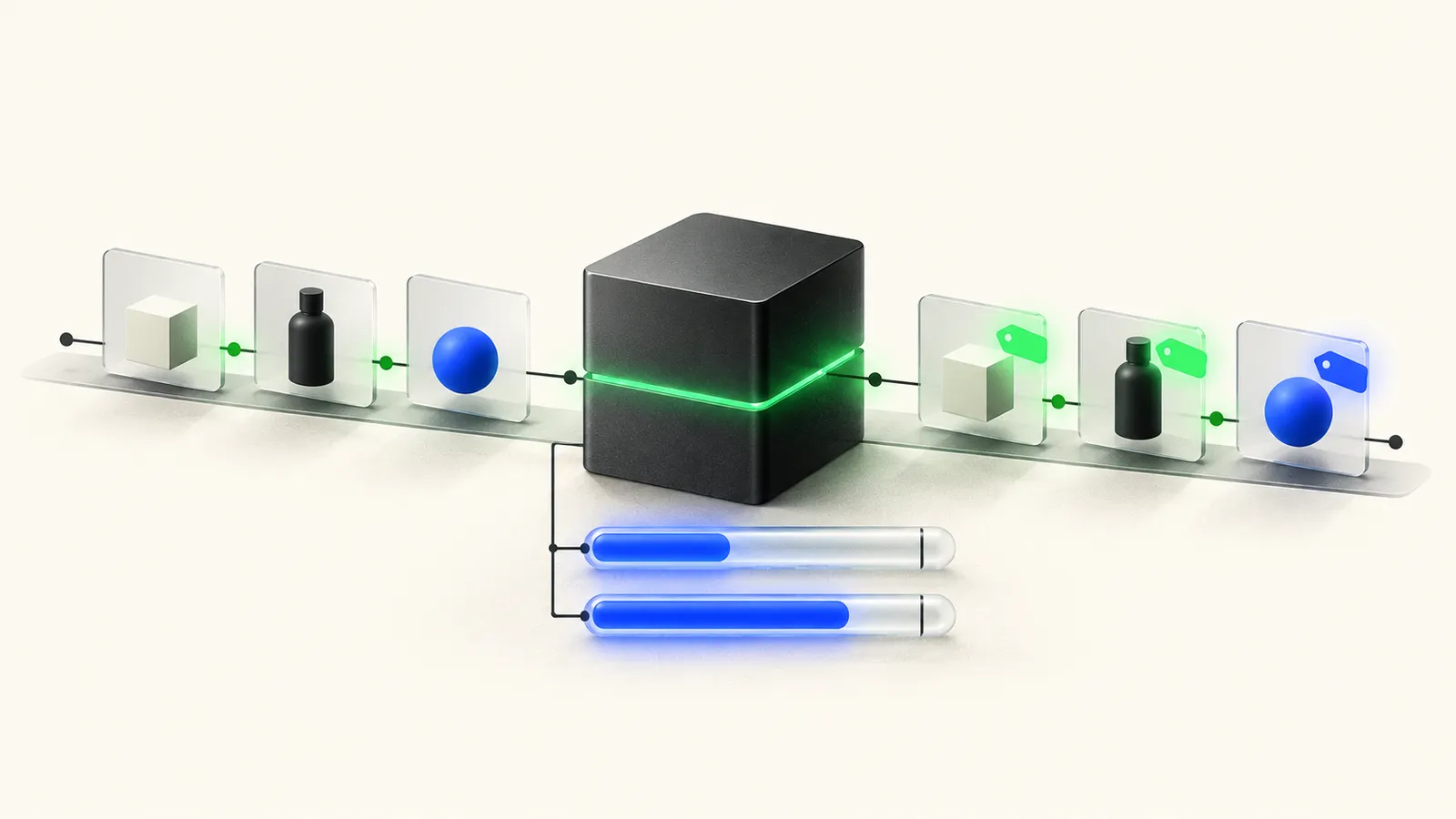
Shopify Functions are small WebAssembly modules that Shopify runs inside its own backend to customise discounts, delivery and payment options, cart validation, bundles and order routing. They replaced Shopify Scripts, which stopped running on June 30, 2026, so a discount, shipping or payment rule that lived in a Script is gone unless a Function or an app took its place.
Which Function you need depends on what the Script did, and whether you can build one yourself depends on your plan: public App Store apps with Functions work on any plan, while custom apps with Functions are Plus-only. The harder question for a developer is whether the logic fits Shopify's limits on a big cart, so we measured it. We built the same tiered volume discount in Rust and in JavaScript and ran both through Shopify's open-source function-runner on 2026-10-20. At 200 cart lines the JavaScript build used 8.5 million of its 11 million instructions (77%) and the Rust build 1.44 million (13%); from 50 lines up, JavaScript ran about six times as many instructions at every size.
The second finding mattered as much: emitting one discount candidate per line, the output alone reached 61% of the 20 kB output cap at 200 lines, and grouping lines by tier cut it by 60%. The code, tool versions and raw output are at the end.
Shopify Functions: what they are and what they replaced
Shopify Functions are compiled WebAssembly modules that Shopify calls at fixed points in cart and checkout, passing them data and applying the operations they return. Shopify's Functions overview says they "allow developers to customize the backend logic of Shopify," and that they "are never invoked directly by URL or otherwise. Shopify invokes them as-needed within the customer journey." You ship a Function inside an app, and merchants who install the app configure it.
Scripts were the predecessor, written using what Shopify's Script Editor page calls "a limited version of the Ruby programming language," in three types: line item, shipping and payment scripts. Shopify's developer changelog set the end in two steps:
- April 15, 2026: editing and publishing Scripts ended.
- June 30, 2026: "All Shopify Scripts will cease to execute entirely."
If you're not sure what your store ran, Shopify's Help Center points to a Scripts customizations report that lists what was active before the shutdown and links to Functions docs or apps for each item.
Functions cover the backend logic. Tracking pixels, checkout UI blocks and the Thank you and Order status pages moved to other extension types, which we cover in our checkout extensibility migration guide.
Which Function API do you need?
Pick the API by the job: discounts go to the Discount API, hiding or renaming shipping and payment options go to the Delivery and Payment Customization APIs, bundles go to Cart Transform, and blocking checkout goes to Cart and Checkout Validation. Shopify's Function API reference lists nine, in the order they run during checkout:
- Cart Transform: bundles, merging or expanding lines, and overriding a line's price, title or image.
- Discount: product and order discounts from its cart line target, which runs here. The same function's delivery target, for shipping discounts, runs later, after Delivery Customization.
- Fulfillment Constraints: rules for how items are grouped for fulfillment.
- Order Routing location rule: which location fulfills an order.
- Pickup Point Delivery Option Generator: marked unstable.
- Local Pickup Delivery Option Generator: marked unstable.
- Delivery Customization: rename, sort and hide delivery options.
- Payment Customization: rename, reorder and hide payment methods, set payment terms, add a review requirement.
- Cart and Checkout Validation: block progress when the cart breaks a rule.
The order matters because each step builds on the one before. A validation function sees prices after discounts, and a discount function sees the lines after Cart Transform has merged or expanded them.
Scripts to Functions: the mapping
Shopify published a Script-to-API mapping table in its migration guide. That guide has since been removed (its URL now redirects to the Functions overview), so the rows below come from the archived copy from December 2025, with plan notes and per-store limits re-checked on the live API reference pages on 2026-10-20.
| What the Script did | Function API | Notes from the current reference |
|---|---|---|
| Line item script: discount products or the whole cart | Discount (cart line target) | Up to 25 active discount functions per store |
| Line item script: bundle, merge or add items | Cart Transform | One cart transform function per app per store; lineUpdate and update operations (price, title, image overrides) only on Plus or development stores |
| Line item script: block checkout under conditions | Cart and Checkout Validation | Up to 25 validation functions per store |
| Shipping script: hide, rename or reorder rates | Delivery Customization | Up to 25 per store |
| Shipping script: discount a rate | Discount (delivery target) | Shipping class of the same Discount API |
| Payment script: hide, rename or reorder methods | Payment Customization | Up to 25 per store; payment terms are Plus-only, review requirements are B2B on Plus only |
| Rewriting the price of every line in a large cart | No direct equivalent | The limits page says the 20 kB output limit "doesn't support bulk price transformations across all line items" and points to discount functions, B2B catalogs or targeting specific products |
Not every Script has a clean match. Treat one that rewrote prices across the whole cart, or ran Ruby logic too heavy for the limits below, as a redesign rather than a port.
Can you use Shopify Functions without Plus?
Yes, through a public app; a custom Function needs Plus. The Functions overview states both halves: "Stores on any plan can use public apps that are distributed through the Shopify App Store and contain functions. Only stores on a Shopify Plus plan can use custom apps that contain Shopify Function APIs." The same page adds that "some Shopify Functions capabilities are available only to stores on a Shopify Plus plan," which is where the Cart Transform and Payment Customization exceptions in the table above come from.
So a merchant on Basic, Grow or Advanced who wants a tiered discount has two real options: find a public app that already does it, or move to Plus and have one built. We priced both paths, with Plus fees, in the traced example in our Shopify developer cost guide. Whether the Plus fee pays for itself on transaction fees alone, and which other features it adds, is worked out in our Shopify Plus vs Advanced comparison.
How a Shopify Function runs
A Function runs in three steps: Shopify executes your GraphQL input query and hands the result to your module as input, your module computes, and it returns a list of operations that Shopify applies. The Function API reference describes the output as "an ordered list of operations." Merchant settings, such as discount tiers, can reach the function through metafields or input variables in the query, so one module serves many configurations.
Two rules from the reference shape everything you write. Shopify "doesn't allow nondeterminism in functions, which means that you can't use any randomizing or clock functionality," and "you can't debug your function by printing out STDOUT or STDERR". Determinism is also what makes local measurement useful: the same module and input give the same output and the same instruction count.
Traced example: one 50-line cart
Here is one run from our benchmark, a tiered volume discount on the Discount API's cart line target. Shopify's discounts guide names this case as a use for discount Functions: "volume discounts with different discount rates when a line item quantity meets defined thresholds." Our rules: 5 or more units of a line gets 10% off, 10 or more gets 15%, 25 or more gets 20%.
The input query asks for only what the rule needs:
query Input {
  cart {
    lines {
      id
      quantity
    }
  }
  discount {
    discountClasses
  }
}
Shopify runs that query and passes the result in. The first three of our 50 lines:
{"cart":{"lines":[
  {"id":"gid://shopify/CartLine/1","quantity":6},
  {"id":"gid://shopify/CartLine/2","quantity":3},
  {"id":"gid://shopify/CartLine/3","quantity":19},
  ...47 more lines
]},"discount":{"discountClasses":["PRODUCT"]}}
The full input is 2,472 bytes as minified JSON and 2,038 bytes as function-runner measures it (both builds receive input in MessagePack, a binary encoding that is smaller than JSON). Take line 3: quantity 19 fails the 25-unit check, passes the 10-unit check, so it gets 15%. Line 2, with 3 units, gets nothing. Across the cart, 29 of the 50 lines qualify: 11 at 10%, 10 at 15% and 8 at 20%.
The grouped version of the function returns one candidate per tier, each listing its lines (trimmed here to two targets per tier):
{"operations":[{"productDiscountsAdd":{
  "selectionStrategy":"ALL",
  "candidates":[
    {"message":"20% off: 25+ units","value":{"percentage":{"value":"20.0"}},
     "targets":[{"cartLine":{"id":"gid://shopify/CartLine/5"}},{"cartLine":{"id":"gid://shopify/CartLine/12"}}, ...6 more]},
    {"message":"15% off: 10+ units","value":{"percentage":{"value":"15.0"}},
     "targets":[{"cartLine":{"id":"gid://shopify/CartLine/3"}},{"cartLine":{"id":"gid://shopify/CartLine/7"}}, ...8 more]},
    {"message":"10% off: 5+ units","value":{"percentage":{"value":"10.0"}},
     "targets":[{"cartLine":{"id":"gid://shopify/CartLine/1"}},{"cartLine":{"id":"gid://shopify/CartLine/8"}}, ...9 more]}
  ]}}]}
That output is 1,423 bytes as function-runner measures it. The per-line version, with 29 separate candidates, is 3,154 bytes for the same discounts. The instruction counts for this one cart:
| 50-line cart | Rust | JavaScript |
|---|---|---|
| Grouped output | 230,063 | 1,535,955 |
| Per-line output | 378,341 | 2,326,850 |
| Share of 11M (per-line) | 3.4% | 21.2% |
At 500 lines, the number that changes most is the limit itself. Function-runner's limits for that input read 27.5M instructions, 312.50KB of input and 48.83KB of output, because Shopify scales the limits for carts over 200 lines. The JavaScript per-line build used 21,683,113 instructions there: nearly double the 11 million you may have in mind, and still only 79% of the limit that actually applies.
Shopify Functions limits: what we measured in Rust and JavaScript
Shopify caps every Function run on instructions, input and output bytes (scaled above 200 cart lines), plus fixed caps on binary size and memory. These are the values on the Function API reference, which notes that "Function resource limits treat 1 kilobyte (kB) as 1000 bytes":
| Limit | Value | Scales with cart size? |
|---|---|---|
| Execution instruction count | 11 million instructions | Yes, above 200 lines |
| Function input | 128 kB | Yes, above 200 lines |
| Function output | 20 kB | Yes, above 200 lines |
| Compiled binary size | 256 kB | No |
| Runtime linear memory | 10,000 kB | No |
| Runtime stack memory | 512 kB | No |
| Logs written | 1 kB (truncated) | No |
On scaling, Shopify's exact wording is: "For carts with more than 200 line items, these values will scale proportionally as the number of cart lines increases." The docs don't give a formula. Function-runner implements one: the Discount schema marks cart.lines with @scaleLimits(rate: 0.005), so the limits are multiplied by the line count times 0.005, with a floor of 1 and, in function-runner's source, a ceiling of 10. That gives 27.5M instructions at 500 lines, 55M at 1,000 and 110M at 2,000, after which the runner's limit stops growing. We use the runner's formula below and label it as the runner's, not Shopify's documented rule.
There is no time limit in the docs. Shopify's Functions marketing page says developers can build customizations "that execute in under 5ms", and its Help Center repeats "under 5 milliseconds"; that is Shopify's claim (the marketing page dates from 2022), not something we measured or a documented limit.
How we measured
We wrote one function with two exports in each language. Both apply the same three tiers; they differ only in the shape of the output:
- Per-line: one discount candidate for each qualifying line.
- Grouped: one candidate per tier, listing every qualifying line in that tier as a target.
We built each the way Shopify CLI does, with the tool versions its source pins: Rust with the shopify_function 2.2.0 crate, wasm-opt and Shopify's trampoline step; JavaScript with @shopify/shopify_function 2.0.1, esbuild, Javy 9.1.0 with Shopify's Functions plugin v4, and wasm-opt. No Shopify login was involved; every tool is a public release.
The carts come from a seeded generator with a quantity mix that fires every tier: about 40% of lines below 5 units, 25% at 5 to 9, 20% at 10 to 24 and 15% at 25 or more. We ran each case through function-runner 9.2.2 three times, passing the schema and input query so the runner applies scaled limits. All 72 runs at the six main sizes gave identical counts across their three repeats, which matches the instruction count guide: "Instruction counts are deterministic."
Setup: Apple M1 Max, macOS (Darwin 27.0.0, arm64), Node v24.20.0, rustc 1.99.1, run on 2026-10-20. Versions and checksums are in the raw output at the end.
Instructions: Rust vs JavaScript by cart size
| Cart lines | Limit | Rust per-line | Rust grouped | JS per-line | JS grouped |
|---|---|---|---|---|---|
| 10 | 11M | 78,667 (0.7%) | 67,559 (0.6%) | 608,860 (5.5%) | 559,823 (5.1%) |
| 50 | 11M | 378,341 (3.4%) | 230,063 (2.1%) | 2,326,850 (21.2%) | 1,535,955 (14.0%) |
| 200 | 11M | 1,440,196 (13.1%) | 816,551 (7.4%) | 8,495,605 (77.2%) | 5,085,526 (46.2%) |
| 500 | 27.5M | 3,712,246 (13.5%) | 2,028,452 (7.4%) | 21,683,113 (78.8%) | 12,438,596 (45.2%) |
| 1,000 | 55M | 7,524,729 (13.7%) | 4,048,155 (7.4%) | 43,782,207 (79.6%) | 24,770,709 (45.0%) |
| 2,000 | 110M | 14,644,130 (13.3%) | 7,950,478 (7.2%) | 85,143,342 (77.4%) | 48,346,790 (44.0%) |
Percentages are of the limit for that cart size. Four things stand out:
- JavaScript ran 5.8 to 7.7 times as many instructions as Rust for the per-line export, and 6.1 to 8.3 times for grouped. The gap is widest on small carts because JavaScript carries a larger fixed cost per run: 608,860 instructions for a 10-line cart, 5.5% of the budget, against 78,667 for Rust.
- The per-line cost is close to linear. Between 200 and 2,000 lines, JavaScript added roughly 41,000 to 44,000 instructions per cart line on the per-line export, Rust about 7,100 to 7,600.
- Grouping helps instructions too. From 200 lines up, building three candidates instead of one per line saved 40% to 43% of JavaScript's instructions and 43% to 46% of Rust's.
- Above 200 lines, the share holds steady. Because the limit grows with the line count, the JavaScript per-line export stayed between 74% and 83% of the applicable limit in a sweep of every 10th cart size from 200 to 2,000 lines. The Rust per-line export stayed between 12.6% and 14.3%.
So for this logic, below 2,000 lines the biggest cart is not the riskiest one. The JavaScript per-line build sat at three-quarters to four-fifths of its budget at every size from 200 lines up, peaking at 83% at 430 lines, where 279 of the 430 lines (65%) qualified for a tier, against about 60% to 62% at the neighbouring sizes we checked.
Output bytes: per-line vs grouped against the 20 kB cap
| Cart lines | Output limit | Rust per-line | Rust grouped | JS per-line | JS grouped |
|---|---|---|---|---|---|
| 10 | 20,000 B | 597 (3%) | 464 (2%) | 577 (3%) | 452 (2%) |
| 50 | 20,000 B | 3,154 (16%) | 1,423 (7%) | 3,041 (15%) | 1,413 (7%) |
| 200 | 20,000 B | 12,175 (61%) | 4,854 (24%) | 11,725 (59%) | 4,844 (24%) |
| 500 | 50,000 B | 32,184 (64%) | 12,472 (25%) | 30,986 (62%) | 12,462 (25%) |
| 1,000 | 100,000 B | 65,812 (66%) | 25,293 (25%) | 63,365 (63%) | 25,283 (25%) |
| 2,000 | 200,000 B | 127,345 (64%) | 49,101 (25%) | 122,634 (61%) | 49,091 (25%) |
Bytes are as function-runner measured the module's output; it prints them in units of 1,024 bytes, so we converted back. Rust's output is slightly larger because its decimal type serialises 20% as the string "20.0" where JavaScript writes the number 20.
This is the result that surprised us. For Rust, output is the limit you hit first, not instructions. The Rust per-line export used 13% of its instruction budget at 200 lines but 61% of its output budget, and in the sweep its output share peaked at 70% (430 lines). Grouping by tier cut output by 60%, because each discounted line then costs one target entry instead of a full candidate with its own message and value. If your function emits one operation per cart line, measure the output size, not just the instruction count.
Where each build first breaks a limit
We walked cart sizes one line at a time and recorded the first size where any limit was exceeded, once with the 11M and 20 kB limits held fixed (unscaled) and once with function-runner's scaled limits:
| Build | Unscaled: first break | Scaled: first break |
|---|---|---|
| JS per-line | 245 lines (instructions) | 2,529 lines (instructions) |
| JS grouped | 428 lines (instructions) | 4,509 lines (instructions) |
| Rust per-line | 292 lines (output, 20,337 bytes) | 2,999 lines (output, 201,155 bytes) |
| Rust grouped | 773 lines (output, 20,183 bytes) | None up to 6,000 lines |
The unscaled column is what you'd see if you ran function-runner without --schema-path and --query-path: its help text says that without them, "defaults will be used to calculate limits," and a 245-line cart would be flagged in red even though the scaled limit for 245 lines is 13.5M under function-runner's formula (Shopify documents only that the limit scales proportionally). The scaled column is the closer model of production, with the caveat that the 10x ceiling is function-runner's, not a documented Shopify number, and that we found no documented maximum number of lines per cart. With scaled limits, nothing broke below 2,000 lines, because the limits grew as fast as the cost. Past 2,000 lines, where the runner's limits stop growing, the JavaScript per-line build ran out of instructions at 2,529 lines and the Rust per-line build ran out of output bytes at 2,999. At 6,000 lines the Rust grouped build used 24.1M instructions (22% of 110M) and about 153,000 bytes of output (77%).
What InstructionCountLimitExceededError means
When a function runs past the instruction limit in production, Shopify stops it and logs an error. Shopify's monitoring and errors page defines InstructionCountLimitExceededError as: "Shopify stopped the function after it exceeded the maximum instruction count." We could not reproduce that error message locally: function-runner doesn't stop a run at the limit, it finishes, reports the count and prints it in red. Use that count to find the cart size where you'd fail, then fix it with Shopify's instruction count guide, which lists language as the first factor: JavaScript functions "run on a JavaScript engine that interprets your code, so each line of JavaScript costs many more WebAssembly instructions."
Module size: why the JavaScript number misleads
The Rust module was 43,455 bytes, 17% of the 256 kB binary limit. The JavaScript module was 3,037 bytes, which isn't comparable: Shopify's JavaScript guide says the module "doesn't include a JavaScript engine. Instead, it's linked to the Javy JavaScript engine at runtime." That engine, Shopify's 1,233,749-byte plugin, isn't part of your upload. The binary limit matters for Rust builds with heavy crates, not typical JavaScript functions.
What this benchmark does not show
- One logic shape. A tiered discount with a single loop over lines. Functions that parse large metafields, match lines against many rules or loop inside loops will cost more, and the gap between languages may differ.
- Local runner only. Function-runner is Shopify's open-source tool for mimicking production. We didn't deploy to a store, so we have no live timings and no production error logs.
- Instructions are not milliseconds. Counts are deterministic and are what Shopify limits. How they translate into checkout latency on Shopify's servers is not something we measured.
- Version-dependent JavaScript. JavaScript counts depend on the Javy and plugin versions; a future plugin could move them.
- Short line IDs. Our IDs run from
gid://shopify/CartLine/1upward, like Shopify's own test fixtures. Longer IDs in a real cart would add input and output bytes. - Scaling formula. Scaled limits use function-runner's formula, since Shopify documents the scaling only as "proportional."
- Other APIs. We didn't test Cart Transform, Order Routing or the unstable pickup generators, and we didn't evaluate any public app.
Rust or JavaScript: our verdict for this kind of logic
For a tiered discount like this one, JavaScript fits, but with less room than most teams would guess, and Rust is the better default for anything that loops over cart lines in production. Our JavaScript per-line build used 77% of the limit at 200 lines and stayed between 74% and 83% of the scaled limit up to 2,000 lines. At the worst point in our sweep (83% at 430 lines), that leaves room for about a fifth more work per line before the run fails. Add one more metafield lookup or string comparison per line and that headroom goes quickly. The Rust build of the same logic never used more than 14.3% of its instruction budget up to 2,000 lines. Shopify's own guidance points the same way: "Staying under the limit isn't the goal," because "every instruction adds checkout latency."
This agrees with Shopify's instruction count guide, which says a JavaScript function "executes significantly more instructions than the equivalent Rust function"; we measured about six times as many. What the docs don't tell you is that output size, not instructions, was Rust's tighter limit.
Our rule of thumb from these runs: JavaScript is fine for prototypes and for simple per-line logic when carts stay small and the output is grouped. Pick Rust when the per-line work is more than a comparison, when carts can run to hundreds of lines, or when you can't afford to re-test every time the Javy plugin changes.
How to test a Shopify Function locally
Run the compiled module against a JSON input with Shopify CLI or function-runner, and pass the schema and query so the limits match your cart size. Shopify's testing guide covers the CLI route:
shopify app function runexecutes your built module once against a JSON input; add--jsonto get the instruction count and output as JSON for scripts.shopify app function replayre-runs a logged execution fromshopify app dev, so you can reproduce a real cart.- The instruction count guide shows
--profile, which writes a profile you open in Speedscope to see which code paths spend the most instructions.
We called function-runner directly, the binary the CLI downloads and runs for these commands. These are the commands for the traced example:
# Rust build, grouped export, with scaled limits
function-runner -f out/rust.wasm -i fixtures/cart-50.json -e grouped \
  -s schema/schema.graphql -q schema/input.graphql

# Same cart, JS build, JSON output for scripts
function-runner -f out/js.wasm -i fixtures/cart-50.json -e grouped \
  -s schema/schema.graphql -q schema/input.graphql --json
The part of the output you care about looks like this (unedited, Rust build):
        Resource Limits


Input Size: 125.00KB
Output Size: 19.53KB
Instructions: 11M


     Benchmark Results

Name: rust.wasm
Linear Memory Usage: 1152KB
Instructions: 230.063K
Input Size: 1.99KB
Output Size: 1.39KB
Module Size: 42KB
Read the KB values carefully: function-runner divides by 1,024, so "125.00KB" is Shopify's 128 kB input limit and "19.53KB" is the 20 kB output limit.
Three habits help. Build fixtures at the largest cart you expect, not the template's one-line cart (our generator below makes any size). Always pass -s and -q, or carts over 200 lines are judged against unscaled limits. And put counts in your tests: Shopify's test helpers return an instruction count per fixture from version 1.1.0, and the instruction count guide has a test that fails when a fixture grows more than 5% over its baseline.
Discount Functions and combining
A discount Function proposes discount candidates, and Shopify decides how they combine with other discounts using the combination settings on each discount. The Discount API reference says: "You can activate a maximum of 25 discount functions on each store. All discount functions run concurrently, and have no knowledge of each other." One Discount Function can return product and order discounts from its cart line target and shipping discounts from its delivery target. Which of those it may apply is set by the discount's classes (product, order, shipping), which the discounts guide says determine "which Function targets will be executed during checkout."
Because each function only sees its own discount, stacking bugs show up in combination, not in a single function's output. Test every pair you plan to run with the matrix in our Shopify Black Friday checklist.
What Shopify Functions can't do
Functions compute and return operations; they can't draw UI, keep state between runs or, by default, call the network. The specific limits:
- No UI. A Function has no interface. Checkout UI extensions and admin UI extensions handle anything the buyer or merchant sees.
- No network calls by default. Network access uses a separate fetch target: the function returns an HTTP request, Shopify makes the call and passes the response to the run target. Shopify's network access page says Shopify must enable it, and lists it for custom apps on Shopify for enterprises (Validation, Local Pickup generator, Discount) and on development stores and Plus (Pickup Point generator). The Discount API reference says "custom apps installed on Shopify Plus and Enterprise stores," so confirm with Shopify before designing around it.
- No state between runs. Everything a run knows comes from its input query: cart data, metafields, metaobjects and input variables. Shopify suggests pre-populating data in metafields or cart attributes instead of fetching it.
- No randomness, clock or async. The reference rules out randomizing and clock functionality, and the JavaScript guide notes that Javy has no event loop, so promises "will throw an error when your function executes."
- Hard ceilings. The instruction, input and output limits above, plus a 3,000-byte cap on the input query and a query cost limit of 30.
Building a custom Function: what it takes
Decide app or custom build before anyone writes code, because the plan rule settles half the decision. In order:
- List what your Scripts did. Use the Scripts customizations report, then map each item with the table above.
- Look for a public app first. It works on any plan, and the app developer carries the limits and maintenance.
- Not on Plus and no app fits? The choice is to change the requirement or move to Plus; a custom Function isn't available otherwise.
- On Plus and building? Choose the API from the table, then the language from the numbers above. Rust is the safer default when carts can be large.
- Test at your biggest real cart. Use fixtures of that size, scaled limits, and an instruction count baseline in CI, plus a combination test against your other discounts.
For what each path costs, including the Plus fee, see our Shopify developer cost guide. Effort depends on how many rules and edge cases you have; a fixture run like ours tells you whether the logic fits before you commit to a language.
The full benchmark code
Everything below runs without a Shopify account. The pieces, all public releases:
- Rust (rustup, stable toolchain, target
wasm32-unknown-unknown) and theshopify_functioncrate from crates.io @shopify/shopify_functionandesbuildfrom npm,binaryen123.0.0 from npm for wasm-opt- function-runner 9.2.2 and Javy 9.1.0 from GitHub releases
- Shopify's Javy plugin v4 from
https://cdn.shopify.com/shopifycloud/shopify-functions-javy-plugin/shopify_functions_javy_v4.wasm, the URL Shopify CLI downloads it from - The trampoline 2.0.1 from the shopify-function-wasm-api releases
schema.graphqlfrom Shopify's extensions-templates repository,functions-discount-rstemplate, commit9a1ca8abd43406f4e0a0b5c09a13e61e2deb3f9d(API version 2026-07)
The versions match the ones Shopify CLI pins in its source (function-runner 9.2.2, Javy 9.1.0, plugin v4, binaryen 123.0.0 and trampoline 2.0.1 at CLI commit 66cab949). Put the binaries in bin/, the files below in the layout shown, and run ./run-all.sh. The whole run, including the line-by-line scans, took about 18 minutes on our machine.
Rust function
rust-fn/Cargo.toml:
[package]
name = "tiered-discount"
version = "1.0.0"
edition = "2021"

[dependencies]
shopify_function = "2"

[profile.release]
lto = true
opt-level = "z"
strip = true
rust-fn/src/input.graphql is the input query from the traced example, and rust-fn/schema.graphql is the template schema. rust-fn/src/main.rs:
// Tiered volume discount on the Discount Function API (cart line target).
// Per line: quantity >= 25 gets 20% off, >= 10 gets 15%, >= 5 gets 10%.
// Two exports with identical rules and different output shapes:
//   per_line: one candidate per qualifying line
//   grouped:  one candidate per tier, listing every line in that tier as a target
use shopify_function::prelude::*;
use shopify_function::Result;
use std::process;

#[typegen("schema.graphql")]
pub mod schema {
    #[query("src/input.graphql")]
    pub mod input {}
}

const TIERS: [(i32, f64, &str); 3] = [
    (25, 20.0, "20% off: 25+ units"),
    (10, 15.0, "15% off: 10+ units"),
    (5, 10.0, "10% off: 5+ units"),
];

fn tier_for(quantity: i32) -> Option<usize> {
    TIERS.iter().position(|(min, _, _)| quantity >= *min)
}

fn has_product_class(input: &schema::input::Input) -> bool {
    input
        .discount()
        .discount_classes()
        .contains(&schema::DiscountClass::Product)
}

fn result(candidates: Vec<schema::ProductDiscountCandidate>) -> schema::CartLinesDiscountsGenerateRunResult {
    if candidates.is_empty() {
        return schema::CartLinesDiscountsGenerateRunResult { operations: vec![] };
    }
    schema::CartLinesDiscountsGenerateRunResult {
        operations: vec![schema::CartOperation::ProductDiscountsAdd(
            schema::ProductDiscountsAddOperation {
                selection_strategy: schema::ProductDiscountSelectionStrategy::All,
                candidates,
            },
        )],
    }
}

fn candidate(tier: usize, targets: Vec<schema::ProductDiscountCandidateTarget>) -> schema::ProductDiscountCandidate {
    let (_, percent, message) = TIERS[tier];
    schema::ProductDiscountCandidate {
        targets,
        message: Some(message.to_string()),
        value: schema::ProductDiscountCandidateValue::Percentage(schema::Percentage {
            value: Decimal(percent),
        }),
        associated_discount_code: None,
        prerequisites: None,
    }
}

fn target(id: &str) -> schema::ProductDiscountCandidateTarget {
    schema::ProductDiscountCandidateTarget::CartLine(schema::CartLineTarget {
        id: id.to_string(),
        quantity: None,
    })
}

#[shopify_function]
fn per_line(input: schema::input::Input) -> Result<schema::CartLinesDiscountsGenerateRunResult> {
    if !has_product_class(&input) {
        return Ok(result(vec![]));
    }
    let mut candidates = vec![];
    for line in input.cart().lines().iter() {
        if let Some(tier) = tier_for(*line.quantity()) {
            candidates.push(candidate(tier, vec![target(line.id())]));
        }
    }
    Ok(result(candidates))
}

#[shopify_function]
fn grouped(input: schema::input::Input) -> Result<schema::CartLinesDiscountsGenerateRunResult> {
    if !has_product_class(&input) {
        return Ok(result(vec![]));
    }
    let mut by_tier: [Vec<schema::ProductDiscountCandidateTarget>; 3] = [vec![], vec![], vec![]];
    for line in input.cart().lines().iter() {
        if let Some(tier) = tier_for(*line.quantity()) {
            by_tier[tier].push(target(line.id()));
        }
    }
    let mut candidates = vec![];
    for (tier, targets) in by_tier.into_iter().enumerate() {
        if !targets.is_empty() {
            candidates.push(candidate(tier, targets));
        }
    }
    Ok(result(candidates))
}

fn main() {
    log!("Invoke a named export: per_line or grouped.");
    process::abort();
}
JavaScript function
js-fn/package.json depends on @shopify/shopify_function 2.x and esbuild. js-fn/src/index.js:
// Tiered volume discount on the Discount Function API (cart line target).
// Per line: quantity >= 25 gets 20% off, >= 10 gets 15%, >= 5 gets 10%.
// Two exports with identical rules and different output shapes:
//   perLine: one candidate per qualifying line
//   grouped: one candidate per tier, listing every line in that tier as a target
const TIERS = [
  { min: 25, percent: 20, message: "20% off: 25+ units" },
  { min: 10, percent: 15, message: "15% off: 10+ units" },
  { min: 5, percent: 10, message: "10% off: 5+ units" },
];

function tierFor(quantity) {
  return TIERS.findIndex((t) => quantity >= t.min);
}

function hasProductClass(input) {
  return input.discount.discountClasses.includes("PRODUCT");
}

function result(candidates) {
  if (candidates.length === 0) return { operations: [] };
  return {
    operations: [
      { productDiscountsAdd: { candidates, selectionStrategy: "ALL" } },
    ],
  };
}

function candidate(tier, targets) {
  const { percent, message } = TIERS[tier];
  return { message, targets, value: { percentage: { value: percent } } };
}

const target = (id) => ({ cartLine: { id } });

export function perLine(input) {
  if (!hasProductClass(input)) return result([]);
  const candidates = [];
  for (const line of input.cart.lines) {
    const tier = tierFor(line.quantity);
    if (tier !== -1) candidates.push(candidate(tier, [target(line.id)]));
  }
  return result(candidates);
}

export function grouped(input) {
  if (!hasProductClass(input)) return result([]);
  const byTier = [[], [], []];
  for (const line of input.cart.lines) {
    const tier = tierFor(line.quantity);
    if (tier !== -1) byTier[tier].push(target(line.id));
  }
  const candidates = [];
  byTier.forEach((targets, tier) => {
    if (targets.length > 0) candidates.push(candidate(tier, targets));
  });
  return result(candidates);
}
js-fn/src/entry.js is the wrapper Shopify CLI generates for named exports, and js-fn/javy-world.wit declares those exports for Javy:
import __runFunction from "@shopify/shopify_function/run"

import { perLine as runPerLine } from "./index.js"
export function perLine() { return __runFunction(runPerLine) }

import { grouped as runGrouped } from "./index.js"
export function grouped() { return __runFunction(runGrouped) }
package function:impl;

world shopify-function {
  export %per-line: func();
  export %grouped: func();
}
Fixture generator
scripts/gen-fixtures.mjs:
// gen-fixtures.mjs: cart inputs for the tiered discount benchmark.
// Usage: node gen-fixtures.mjs <outDir> <lines> [<lines> ...]
// Fixed seed per cart size, so every run produces byte-identical files.
import { writeFileSync, mkdirSync } from "node:fs";
import { join } from "node:path";

// mulberry32: tiny deterministic PRNG
function rng(seed) {
  return () => {
    seed |= 0; seed = (seed + 0x6d2b79f5) | 0;
    let t = Math.imul(seed ^ (seed >>> 15), 1 | seed);
    t = (t + Math.imul(t ^ (t >>> 7), 61 | t)) ^ t;
    return ((t ^ (t >>> 14)) >>> 0) / 4294967296;
  };
}

// Quantity mix: 40% below any tier (1-4), 25% in the 10% tier (5-9),
// 20% in the 15% tier (10-24), 15% in the 20% tier (25-60).
function quantity(r) {
  const p = r();
  const between = (lo, hi) => lo + Math.floor(r() * (hi - lo + 1));
  if (p < 0.40) return between(1, 4);
  if (p < 0.65) return between(5, 9);
  if (p < 0.85) return between(10, 24);
  return between(25, 60);
}

const [outDir, ...sizes] = process.argv.slice(2);
mkdirSync(outDir, { recursive: true });
for (const n of sizes.map(Number)) {
  const r = rng(20261020 + n);
  const lines = Array.from({ length: n }, (_, i) => ({
    id: `gid://shopify/CartLine/${i + 1}`,
    quantity: quantity(r),
  }));
  const input = { cart: { lines }, discount: { discountClasses: ["PRODUCT"] } };
  const file = join(outDir, `cart-${n}.json`);
  writeFileSync(file, JSON.stringify(input));
  const tiers = [0, 0, 0, 0];
  for (const l of lines) tiers[l.quantity >= 25 ? 3 : l.quantity >= 10 ? 2 : l.quantity >= 5 ? 1 : 0]++;
  console.log(`${file}: ${n} lines, ${JSON.stringify(input).length} bytes, no tier ${tiers[0]}, 10% ${tiers[1]}, 15% ${tiers[2]}, 20% ${tiers[3]}`);
}
Benchmark, scan and build scripts
scripts/bench.mjs runs every case three times and prints the table:
// bench.mjs: run the Rust and JS builds of the tiered discount through function-runner.
// Usage: node bench.mjs <function-runner> <rust.wasm> <js.wasm> <schema.graphql> <input.graphql> <fixturesDir> <lines,...>
// Sizes are as function-runner prints them (it divides by 1,024); Shopify's limits use 1 kB = 1,000 bytes,
// so we convert back to bytes for the percentages.
import { execFileSync } from "node:child_process";
import { statSync } from "node:fs";
import { join } from "node:path";

const [runner, rustWasm, jsWasm, schema, query, fixtures, sizesArg] = process.argv.slice(2);
const builds = [
  { lang: "rust", wasm: rustWasm, exports: { "per-line": "per_line", grouped: "grouped" } },
  { lang: "js", wasm: jsWasm, exports: { "per-line": "per-line", grouped: "grouped" } },
];
const fr = (args) => {
  try { return execFileSync(runner, args, { encoding: "utf8", maxBuffer: 1 << 28 }); }
  catch (e) { return e.stdout; }
};
const bytes = (s) => { const [, v, u] = s.match(/([\d.]+)(B|KB|MB)/); return Math.round(Number(v) * { B: 1, KB: 1024, MB: 1048576 }[u]); };
const pick = (text, section, label) => text.split("Benchmark Results")[section].match(new RegExp(`${label}: (\\S+)`))[1];

console.log(fr(["--version"]).trim());
for (const b of builds) console.log(`${b.lang} module: ${statSync(b.wasm).size} bytes`);
console.log("\nlines lang shape    | instructions run1 / run2 / run3 | % of 11M | limit | memory KB | input B | output B (% of 20 kB) | ok");
for (const n of sizesArg.split(",").map(Number)) {
  const input = join(fixtures, `cart-${n}.json`);
  for (const b of builds) {
    for (const [shape, exp] of Object.entries(b.exports)) {
      const args = ["-f", b.wasm, "-i", input, "-e", exp, "-s", schema, "-q", query];
      const runs = [1, 2, 3].map(() => JSON.parse(fr([...args, "--json"])));
      const text = fr(args);
      const counts = runs.map((r) => r.instructions);
      const out = bytes(pick(text, 1, "Output Size"));
      console.log([
        `${String(n).padStart(5)} ${b.lang.padEnd(4)} ${shape.padEnd(8)}`,
        `${counts.join(" / ")}${counts.every((c) => c === counts[0]) ? " (identical)" : " (DIFFERENT)"}`,
        `${(100 * counts[0] / 11e6).toFixed(1)}%`,
        pick(text, 0, "Instructions"),
        runs[0].memory_usage,
        bytes(pick(text, 1, "Input Size")),
        `${out} (${(100 * out / 20000).toFixed(0)}%)`,
        runs.every((r) => r.success),
      ].join(" | "));
    }
  }
}
scripts/scan.mjs walks cart sizes one line at a time until a limit breaks:
// scan.mjs: walk cart sizes one line at a time and report the first size that breaks a limit.
// Usage: node scan.mjs <function-runner> <wasm> <export> <schema> <query> <gen-fixtures.mjs> <workDir> <unscaled|scaled> <from> <to>
// unscaled: 11M instructions and 20,000 output bytes at every size.
// scaled: both limits multiplied by lines x 0.005 (min 1, max 10), the rate in the Discount schema's
//         @scaleLimits directive and the formula function-runner applies when given --schema-path/--query-path.
import { execFileSync } from "node:child_process";
import { join } from "node:path";
const [runner, wasm, exp, schema, query, gen, dir, mode, from, to] = process.argv.slice(2);
const scale = (n) => (mode === "scaled" ? Math.min(10, Math.max(1, n * 0.005)) : 1);
const bytes = (s) => { const [, v, u] = s.match(/([\d.]+)(B|KB|MB)/); return Math.round(Number(v) * { B: 1, KB: 1024, MB: 1048576 }[u]); };
const name = `${wasm.split("/").pop()} ${exp} (${mode})`;
for (let n = Number(from); n <= Number(to); n++) {
  execFileSync("node", [gen, dir, String(n)]);
  const args = ["-f", wasm, "-i", join(dir, `cart-${n}.json`), "-e", exp, "-s", schema, "-q", query];
  let text;
  try { text = execFileSync(runner, args, { encoding: "utf8", maxBuffer: 1 << 28 }); } catch (e) { text = e.stdout; }
  const res = text.split("Benchmark Results")[1];
  const ins = Number(res.match(/Instructions: ([\d.]+)([KM]?)/).slice(1, 3).reduce((v, u) => Number(v) * { "": 1, K: 1e3, M: 1e6 }[u]));
  const out = bytes(res.match(/Output Size: (\S+)/)[1]);
  const insLimit = 11e6 * scale(n), outLimit = 20000 * scale(n);
  const broke = [ins > insLimit && `instructions ${Math.round(ins)} > ${insLimit}`, out > outLimit && `output ${out} B > ${outLimit} B`].filter(Boolean);
  if (broke.length) { console.log(`${name}: first limit broken at ${n} lines: ${broke.join(", ")}`); process.exit(0); }
}
console.log(`${name}: no limit broken from ${from} to ${to} lines`);
scripts/sweep.mjs records the share of each limit at every 10th cart size (the source of the 74% to 83% range):
// sweep.mjs: instruction count and output bytes at every <step> lines, as CSV.
// Usage: node sweep.mjs <function-runner> <rust.wasm> <js.wasm> <schema> <query> <gen-fixtures.mjs> <workDir> <from> <to> <step>
import { execFileSync } from "node:child_process";
import { join } from "node:path";
const [runner, rustWasm, jsWasm, schema, query, gen, dir, from, to, step] = process.argv.slice(2);
const builds = [["rust", rustWasm, "per_line", "per-line"], ["rust", rustWasm, "grouped", "grouped"], ["js", jsWasm, "per-line", "per-line"], ["js", jsWasm, "grouped", "grouped"]];
const bytes = (s) => { const [, v, u] = s.match(/([\d.]+)(B|KB|MB)/); return Math.round(Number(v) * { B: 1, KB: 1024, MB: 1048576 }[u]); };
console.log("lines,lang,shape,instructions,instr_limit,instr_pct_of_limit,output_bytes,output_limit,output_pct_of_limit");
for (let n = Number(from); n <= Number(to); n += Number(step)) {
  execFileSync("node", [gen, dir, String(n)]);
  const scale = Math.min(10, Math.max(1, n * 0.005));
  for (const [lang, wasm, exp, shape] of builds) {
    const args = ["-f", wasm, "-i", join(dir, `cart-${n}.json`), "-e", exp, "-s", schema, "-q", query];
    let text; try { text = execFileSync(runner, args, { encoding: "utf8", maxBuffer: 1 << 28 }); } catch (e) { text = e.stdout; }
    const json = JSON.parse(execFileSync(runner, [...args, "--json"], { encoding: "utf8", maxBuffer: 1 << 28 }));
    const out = bytes(text.split("Benchmark Results")[1].match(/Output Size: (\S+)/)[1]);
    const il = 11e6 * scale, ol = 20000 * scale;
    console.log([n, lang, shape, json.instructions, il, (100 * json.instructions / il).toFixed(1), out, ol, (100 * out / ol).toFixed(1)].join(","));
  }
}
We ran the sweep separately with node scripts/sweep.mjs bin/function-runner out/rust.wasm out/js.wasm schema/schema.graphql schema/input.graphql scripts/gen-fixtures.mjs fixtures-sweep 10 3000 10 > sweep.csv. Summarised for 200 to 2,000 lines, it gave:
js grouped     instructions 43.3% (1020 lines) to 47.4% (280 lines) of the scaled limit; output peak 27.1% (430 lines)
js per-line    instructions 74.3% (220 lines) to 83.3% (430 lines) of the scaled limit; output peak 67.2% (430 lines)
rust grouped   instructions 7.1% (1020 lines) to 7.7% (280 lines) of the scaled limit; output peak 27.1% (430 lines)
rust per-line  instructions 12.6% (220 lines) to 14.3% (430 lines) of the scaled limit; output peak 69.8% (430 lines)
run-all.sh builds both functions the way Shopify CLI does and runs everything:
#!/usr/bin/env bash
# run-all.sh: build both functions the way Shopify CLI does, then benchmark them.
# Expects in ./bin: function-runner 9.2.2, javy 9.1.0, shopify_functions_javy_v4.wasm,
# shopify-function-trampoline 2.0.1; Rust with the wasm32-unknown-unknown target; Node 24.
set -euo pipefail
cd "$(dirname "$0")"
WASM_OPT="node tools/node_modules/binaryen/bin/wasm-opt -Oz --enable-bulk-memory --enable-multimemory --enable-nontrapping-float-to-int --strip-debug"
mkdir -p out fixtures fixtures-scan

echo "== versions"; rustc --version; cargo --version; node --version
bin/function-runner --version; bin/javy --version; bin/shopify-function-trampoline --version
grep -A1 'name = "shopify_function"' rust-fn/Cargo.lock | tail -1
node -p '"@shopify/shopify_function " + require("./js-fn/node_modules/@shopify/shopify_function/package.json").version'
node -p '"esbuild " + require("./js-fn/node_modules/esbuild/package.json").version'
echo "javy plugin sha256: $(shasum -a 256 bin/shopify_functions_javy_v4.wasm | cut -d' ' -f1)"
echo "schema sha256: $(shasum -a 256 schema/schema.graphql | cut -d' ' -f1)"

echo "== build: rust (cargo, wasm-opt, trampoline)"
(cd rust-fn && cargo build --quiet --target=wasm32-unknown-unknown --release)
$WASM_OPT rust-fn/target/wasm32-unknown-unknown/release/tiered-discount.wasm -o out/rust.opt.wasm
bin/shopify-function-trampoline -i out/rust.opt.wasm -o out/rust.wasm

echo "== build: js (esbuild, javy with Shopify plugin v4, wasm-opt)"
(cd js-fn && ./node_modules/.bin/esbuild src/entry.js --bundle --format=esm --target=es2022 --legal-comments=none --log-level=warning --outfile=dist/function.js)
bin/javy build -C dynamic -C plugin=bin/shopify_functions_javy_v4.wasm -C wit=js-fn/javy-world.wit -C wit-world=shopify-function -o out/js.raw.wasm js-fn/dist/function.js
$WASM_OPT out/js.raw.wasm -o out/js.wasm
ls -l out/rust.wasm out/js.wasm bin/shopify_functions_javy_v4.wasm | awk '{print $5, $9}'

echo "== fixtures"
node scripts/gen-fixtures.mjs fixtures 10 50 200 500 1000 2000

echo "== benchmark (3 runs per case)"
node scripts/bench.mjs bin/function-runner out/rust.wasm out/js.wasm schema/schema.graphql schema/input.graphql fixtures 10,50,200,500,1000,2000

echo "== first cart size that breaks a limit"
S="schema/schema.graphql schema/input.graphql scripts/gen-fixtures.mjs fixtures-scan"
for spec in "out/js.wasm per-line" "out/js.wasm grouped" "out/rust.wasm per_line" "out/rust.wasm grouped"; do
  set -- $spec
  node scripts/scan.mjs bin/function-runner $1 $2 $S unscaled 200 4000
done
for spec in "out/js.wasm per-line" "out/js.wasm grouped" "out/rust.wasm per_line" "out/rust.wasm grouped"; do
  set -- $spec
  node scripts/scan.mjs bin/function-runner $1 $2 $S scaled 201 6000
done
Raw output
The unedited output of ./run-all.sh from 2026-10-20:
== versions
rustc 1.99.1 (58cf8f9c3 2026-10-13)
cargo 1.99.1 (5f94df478 2026-08-27)
v24.20.0
function-runner 9.2.2
javy 9.1.0
shopify_function_trampoline 2.0.1
version = "2.2.0"
@shopify/shopify_function 2.0.1
esbuild 0.28.2
javy plugin sha256: b1b5f0d38cb5cd1692fa027db8186b73c3673cacd337bf3d6ee8cf16cac70087
schema sha256: c339b896c90470fc9beed8acc8bb9efcdce00219b3518c4873d4d8456e72ac65
== build: rust (cargo, wasm-opt, trampoline)
== build: js (esbuild, javy with Shopify plugin v4, wasm-opt)
1233749 bin/shopify_functions_javy_v4.wasm
3037 out/js.wasm
43455 out/rust.wasm
== fixtures
fixtures/cart-10.json: 10 lines, 537 bytes, no tier 5, 10% 2, 15% 1, 20% 2
fixtures/cart-50.json: 50 lines, 2472 bytes, no tier 21, 10% 11, 15% 10, 20% 8
fixtures/cart-200.json: 200 lines, 9822 bytes, no tier 87, 10% 46, 15% 41, 20% 26
fixtures/cart-500.json: 500 lines, 24630 bytes, no tier 201, 10% 124, 15% 97, 20% 78
fixtures/cart-1000.json: 1000 lines, 49283 bytes, no tier 388, 10% 285, 15% 186, 20% 141
fixtures/cart-2000.json: 2000 lines, 99653 bytes, no tier 822, 10% 481, 15% 382, 20% 315
== benchmark (3 runs per case)
function-runner 9.2.2
rust module: 43455 bytes
js module: 3037 bytes

lines lang shape    | instructions run1 / run2 / run3 | % of 11M | limit | memory KB | input B | output B (% of 20 kB) | ok
   10 rust per-line | 78667 / 78667 / 78667 (identical) | 0.7% | 11M | 1152 | 440 | 597 (3%) | true
   10 rust grouped  | 67559 / 67559 / 67559 (identical) | 0.6% | 11M | 1152 | 440 | 464 (2%) | true
   10 js   per-line | 608860 / 608860 / 608860 (identical) | 5.5% | 11M | 1280 | 440 | 577 (3%) | true
   10 js   grouped  | 559823 / 559823 / 559823 (identical) | 5.1% | 11M | 1280 | 440 | 452 (2%) | true
   50 rust per-line | 378341 / 378341 / 378341 (identical) | 3.4% | 11M | 1152 | 2038 | 3154 (16%) | true
   50 rust grouped  | 230063 / 230063 / 230063 (identical) | 2.1% | 11M | 1152 | 2038 | 1423 (7%) | true
   50 js   per-line | 2326850 / 2326850 / 2326850 (identical) | 21.2% | 11M | 1344 | 2038 | 3041 (15%) | true
   50 js   grouped  | 1535955 / 1535955 / 1535955 (identical) | 14.0% | 11M | 1280 | 2038 | 1413 (7%) | true
  200 rust per-line | 1440196 / 1440196 / 1440196 (identical) | 13.1% | 11M | 1216 | 8141 | 12175 (61%) | true
  200 rust grouped  | 816551 / 816551 / 816551 (identical) | 7.4% | 11M | 1216 | 8141 | 4854 (24%) | true
  200 js   per-line | 8495605 / 8495605 / 8495605 (identical) | 77.2% | 11M | 1408 | 8141 | 11725 (59%) | true
  200 js   grouped  | 5085526 / 5085526 / 5085526 (identical) | 46.2% | 11M | 1344 | 8141 | 4844 (24%) | true
  500 rust per-line | 3712246 / 3712246 / 3712246 (identical) | 33.7% | 27.5M | 1344 | 20439 | 32184 (161%) | true
  500 rust grouped  | 2028452 / 2028452 / 2028452 (identical) | 18.4% | 27.5M | 1344 | 20439 | 12472 (62%) | true
  500 js   per-line | 21683113 / 21683113 / 21683113 (identical) | 197.1% | 27.5M | 1664 | 20439 | 30986 (155%) | true
  500 js   grouped  | 12438596 / 12438596 / 12438596 (identical) | 113.1% | 27.5M | 1472 | 20439 | 12462 (62%) | true
 1000 rust per-line | 7524729 / 7524729 / 7524729 (identical) | 68.4% | 55M | 1536 | 40940 | 65812 (329%) | true
 1000 rust grouped  | 4048155 / 4048155 / 4048155 (identical) | 36.8% | 55M | 1536 | 40940 | 25293 (126%) | true
 1000 js   per-line | 43782207 / 43782207 / 43782207 (identical) | 398.0% | 55M | 2112 | 40940 | 63365 (317%) | true
 1000 js   grouped  | 24770709 / 24770709 / 24770709 (identical) | 225.2% | 55M | 1664 | 40940 | 25283 (126%) | true
 2000 rust per-line | 14644130 / 14644130 / 14644130 (identical) | 133.1% | 110M | 1984 | 82944 | 127345 (637%) | true
 2000 rust grouped  | 7950478 / 7950478 / 7950478 (identical) | 72.3% | 110M | 1792 | 82944 | 49101 (246%) | true
 2000 js   per-line | 85143342 / 85143342 / 85143342 (identical) | 774.0% | 110M | 2944 | 82944 | 122634 (613%) | true
 2000 js   grouped  | 48346790 / 48346790 / 48346790 (identical) | 439.5% | 110M | 2048 | 82944 | 49091 (245%) | true
== first cart size that breaks a limit
js.wasm per-line (unscaled): first limit broken at 245 lines: instructions 11262767 > 11000000
js.wasm grouped (unscaled): first limit broken at 428 lines: instructions 11082104 > 11000000
rust.wasm per_line (unscaled): first limit broken at 292 lines: output 20337 B > 20000 B
rust.wasm grouped (unscaled): first limit broken at 773 lines: output 20183 B > 20000 B
js.wasm per-line (scaled): first limit broken at 2529 lines: instructions 110662677 > 110000000
js.wasm grouped (scaled): first limit broken at 4509 lines: instructions 110225177 > 110000000
rust.wasm per_line (scaled): first limit broken at 2999 lines: output 201155 B > 200000 B
rust.wasm grouped (scaled): no limit broken from 201 to 6000 lines
If you're replacing Script logic or deciding between an app and a custom Function, that scoping, the Function build and its large-cart tests are part of our Shopify development work.
Frequently asked questions
Are Shopify Scripts still working?
No. Shopify's developer changelog set two dates: editing and publishing Scripts ended on April 15, 2026, and all Scripts stopped executing on June 30, 2026. Any discount, shipping or payment rule that lived in a Script stopped applying that day unless a Shopify Function or an app replaced it. Shopify's Scripts customizations report lists the Scripts that were active before the shutdown and points to Functions documentation or apps for each.
Do I need Shopify Plus for Shopify Functions?
Only for a custom one. Shopify's docs say stores on any plan can use public apps distributed through the Shopify App Store that contain functions, while only stores on a Shopify Plus plan can use custom apps that contain Shopify Function APIs. Some operations are also limited to Plus, for example Cart Transform's update operations and the payment terms operation in Payment Customization.
Should I write a Shopify Function in Rust or JavaScript?
Rust, if the function will see large carts or does real work per line. In our benchmark the same tiered discount ran about 6 times as many instructions in JavaScript from 50 lines up, and the JavaScript build used 77% of the 11 million instruction limit at 200 lines against 13% for Rust. JavaScript is fine for prototypes and for simple logic on carts that stay small. Shopify itself strongly recommends Rust.
What happens when a Shopify Function exceeds the instruction limit?
Shopify stops the function and reports an InstructionCountLimitExceededError in the function's run logs. The limit is 11 million instructions for carts with up to 200 line items and scales up proportionally for larger carts. Because instruction counts are deterministic, you can copy the failing run's input and reproduce the count locally with Shopify CLI or function-runner.
Can a Shopify Function call an external API?
Not by default. Network access uses a separate fetch target: the function returns an HTTP request, Shopify makes the call, and the response arrives in the input of the run target. Shopify has to enable it, and it's limited to specific APIs and plans, mostly custom apps on Shopify for enterprises. For everything else, Shopify suggests putting the data in metafields or cart attributes before checkout.
How many Shopify Functions can a store run?
It depends on the API. Shopify's reference pages allow a maximum of 25 active discount functions, 25 delivery customization functions, 25 payment customization functions and 25 validation functions per store, and one cart transform function per app on each store. All discount functions run concurrently and have no knowledge of each other.
Get in touch.
Whether you have questions or just want to explore what's possible, we're here to help.